
Painting and Wallpapering Workbench icon
Painting and wallpapering business software

Manage the details behind every profitable project.

Build painting and wallpaper estimates, calculate labor and materials, schedule accepted work, track stock, invoice customers, and review the business—all in one workspace designed around the trade.

Trade-specific tools

More than generic job-management software

Painting & Wallpapering Workbench combines the everyday business workflow with calculators, material records, and customer-facing tools made specifically for painters and wallpaper installers.

Detailed estimates

  • Interior painting, exterior painting, and wallpaper installation estimates
  • Room-by-room labor, travel, preparation, materials, and additional charges
  • Editable rates for daily labor, rooms, surfaces, paint, wallpaper, and supplies
  • Preview, save, email, or text professional estimate PDFs
Wallpaper calculations

  • Calculate strips and rolls using wall size, roll dimensions, and pattern repeat
  • Account for straight-match and other pattern layouts
  • Keep room calculations connected to the product being quoted
  • Use the calculator alone or as part of a full customer estimate

Customers and job management

  • Keep customer contact details, addresses, work areas, and project history together
  • Turn accepted estimates into active jobs without re-entering the scope
  • Track waiting, scheduled, in-progress, and completed work
  • Save private notes, dates, balances, and money received for every job

Scheduling, invoices, and payments

  • See current and upcoming work on a monthly calendar
  • Create invoices from jobs and preserve the agreed amounts
  • Monitor job value, money received, open balances, and overdue invoices
  • Record payment dates, methods, and reporting categories

Wallpaper stock and sales

  • Photograph, identify, value, locate, and track wallpaper rolls
  • Store pattern, collection, colorway, lot, supplier, cost, and retail pricing
  • Adjust quantities and retain a quantity-history record
  • Show selected stock and supplier sites in a separate client-safe sales view

Reports, photos, and accounting

  • Review income, expenses, cash, non-cash payments, and net income
  • Prepare customer, invoice, payment, and expense CSV exports for QuickBooks
  • Organize project-gallery photos and captions for a client-facing portfolio
  • Create backups before important imports or accounting work
A connected workflow

Move from measurements to money without losing the details

Measure and price

Enter rooms, surfaces, labor, materials, pattern details, and project notes.

Send the estimate

Create a clear PDF and deliver it by email or text for customer review.

Plan accepted work

Move the project into Job Manager, set dates, and record private field notes.

Invoice and collect

Bill the saved job value, record payments, and follow outstanding balances.

Review and grow

Understand results, manage materials, share completed work, and export records.

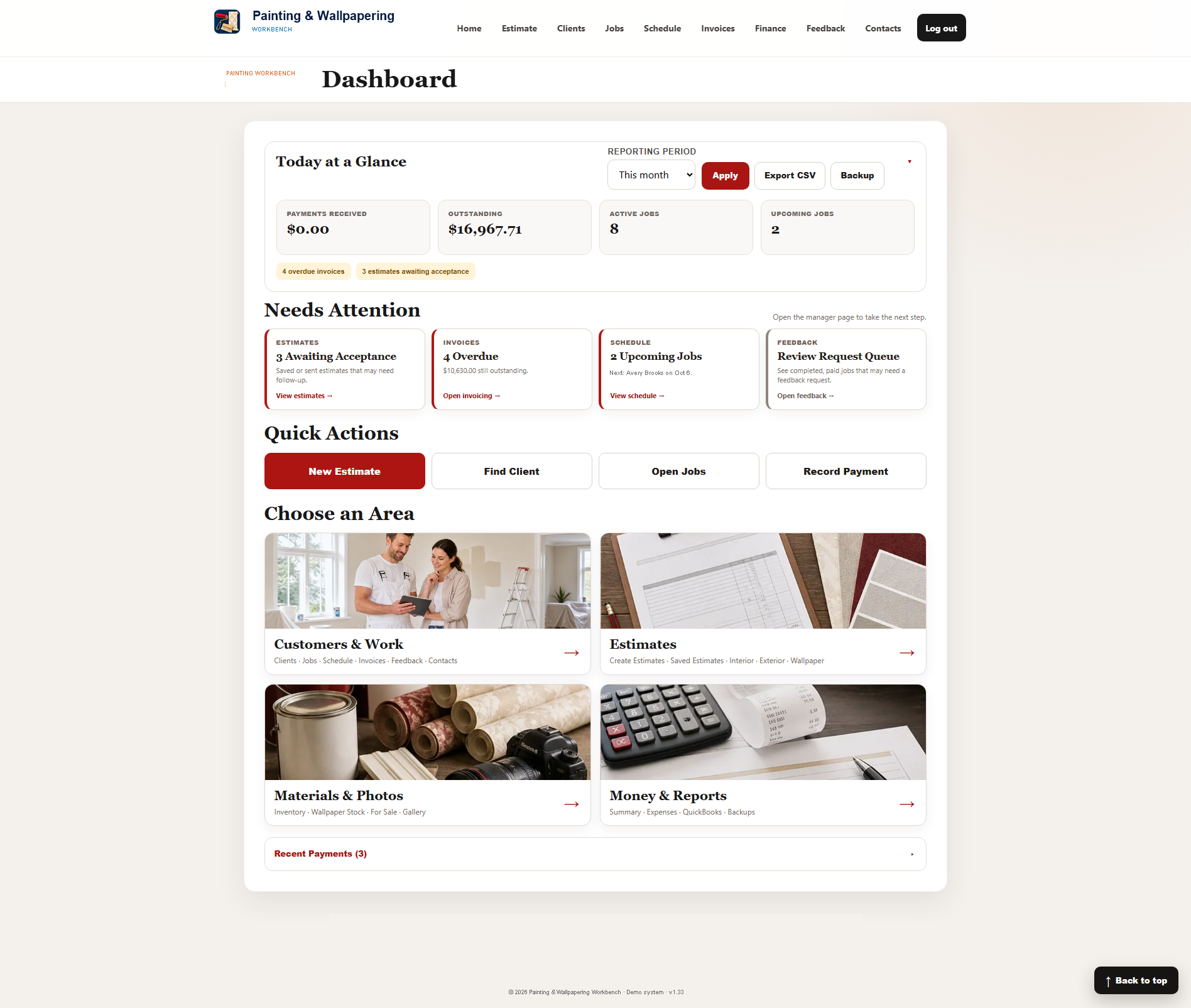
Painting and Wallpapering Workbench dashboard
The whole business at a glance

See the next action, not just another list of records.

The dashboard highlights estimates awaiting acceptance, overdue invoices, upcoming jobs, review requests, active work, outstanding balances, and recent payments.

  • Quick actions for estimates, customers, jobs, and payments
  • Dedicated work areas for customers, materials, photos, finances, and reports
  • Customer-safe views keep private inventory and business details hidden
  • Responsive layouts for office, shop, tablet, and phone use
Built for better decisions

Keep craftsmanship, customer service, and business records together

Quote with confidenceTrade-specific calculations help turn measurements into consistent pricing.
Protect the scopeAccepted estimate details follow the project into jobs and invoices.
Sell available stockShare selected wallpaper options without exposing private inventory information.
Know the numbersPayments, expenses, balances, and accounting exports stay close at hand.

Explore Painting & Wallpapering Workbench

The demo uses fictional business information, so you can safely explore estimates, job management, scheduling, invoices, wallpaper stock, the client gallery, and reports.

Open the painting demo